MIBOD

Box inventory · QR labels · AI

Know exactly which box everything is in

Photograph what you store. MIBOD describes it with AI so you can find it later by text or voice — without opening a single box.

Coming soon to the App Store How it works
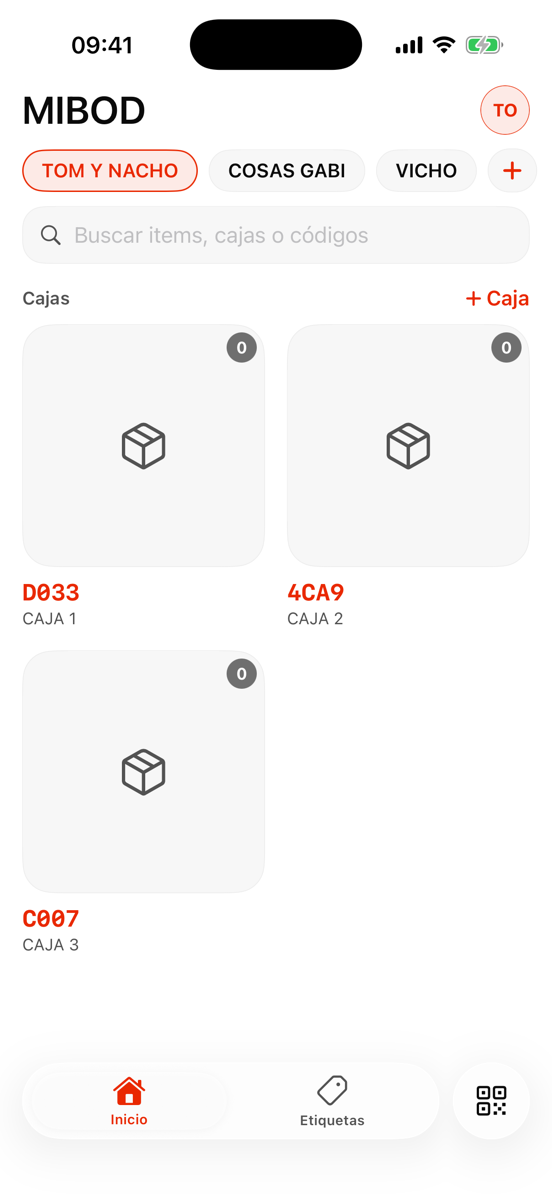
MIBOD app showing storages and boxes with QR codes

What it does

Your storage, with a memory

Printable QR labels

Every box gets a QR-coded label. Stick it on, scan it with your phone, and see what's inside without opening anything.

Photos that describe themselves

Take a photo and AI names the item, describes it, and generates search synonyms. In your language, automatically.

Search by text or voice

“Where's the drill?” — ask by speaking or typing, typos and synonyms included. MIBOD tells you the exact box.

Shared storages

Invite family or teammates to each storage with editor or viewer roles. Everyone sees the same thing, in real time.

The process

Three steps and you're done

01

Create your boxes

Name them, print their QR labels, and stick them on.

02

Photograph what you store

One photo per item. AI builds the inventory for you.

03

Find everything later

Search by text or voice, or scan the box's QR code.

Stop emptying boxes to find things

Coming very soon to iPhone and Android. Your data travels encrypted, and you decide who to share each storage with.

App Store Coming soon Google Play Coming soon